Every defect found, fixed and signed off.
A snagging tool that runs in your browser. Photo and pin, room, trade and priority in a few taps. Send each trade only their list, then re-inspect and sign off. Works with no signal, nothing to install.
Already bought? Open the full Snag list.
Free demo: 1 property, 10 snags.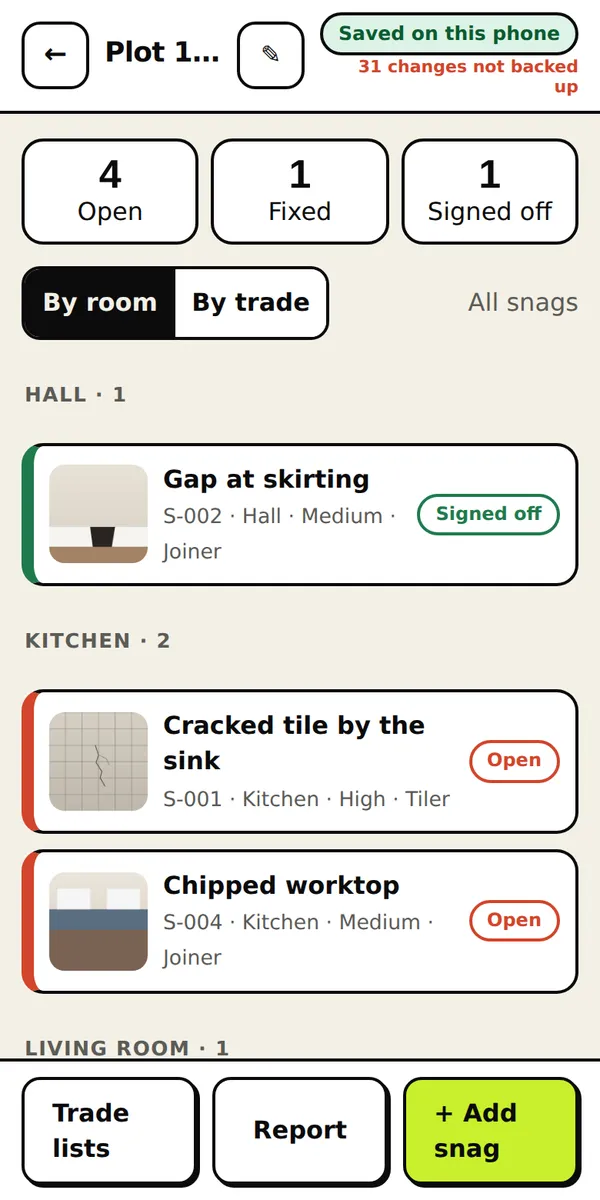
From spotted to signed off in five steps.
These are real screens from the tool, not mock-ups.
- 1
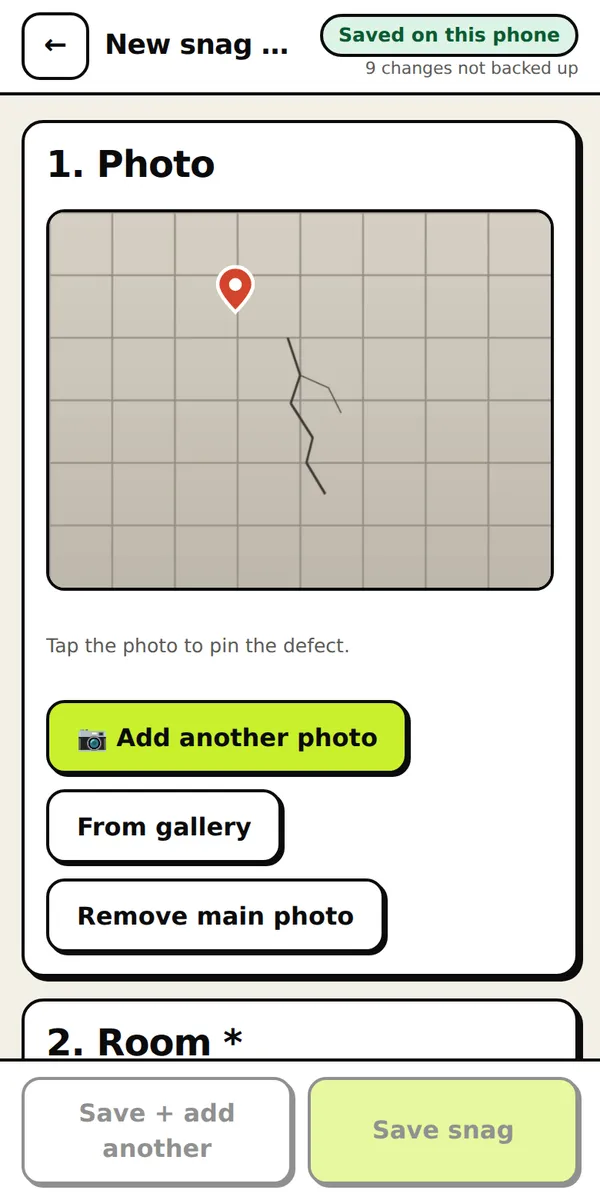
Photo and pin
Take the photo, tap where the defect is. The pin travels with the snag into every report.
- 2
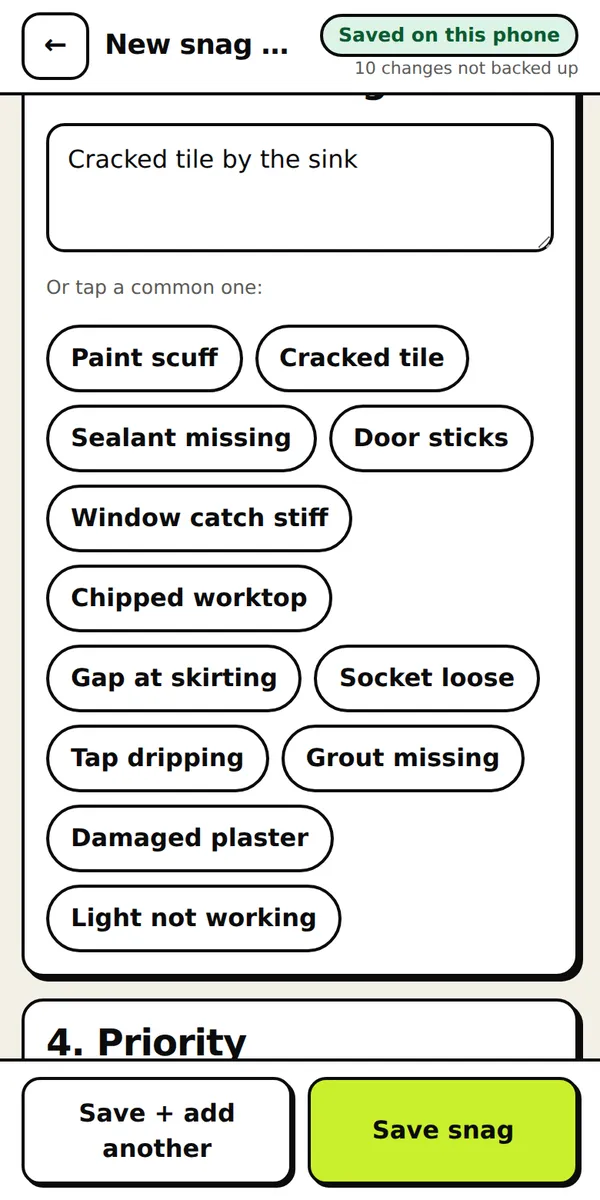
Say what is wrong
Pick the room, tap a common defect or type your own, then set priority and trade.
- 3
Track every snag
Open, fixed, signed off. The counts are always at the top, grouped by room or by trade.
- 4
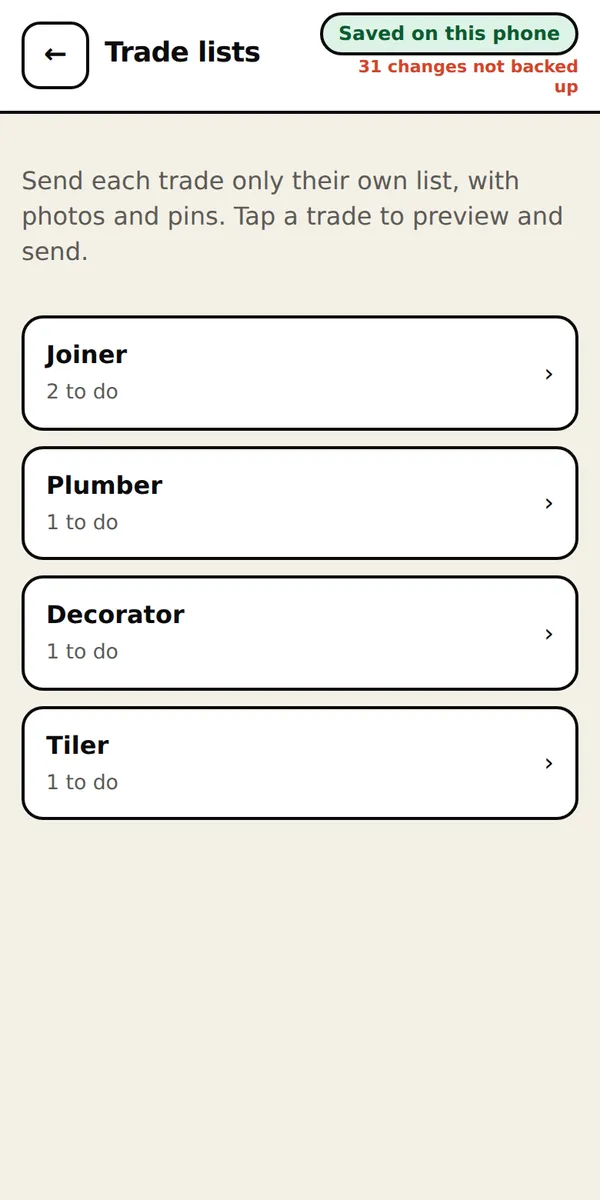
Send each trade their list
Each trade gets only their own open snags, with photos and pins, as PDF, Word or Excel.
- 5
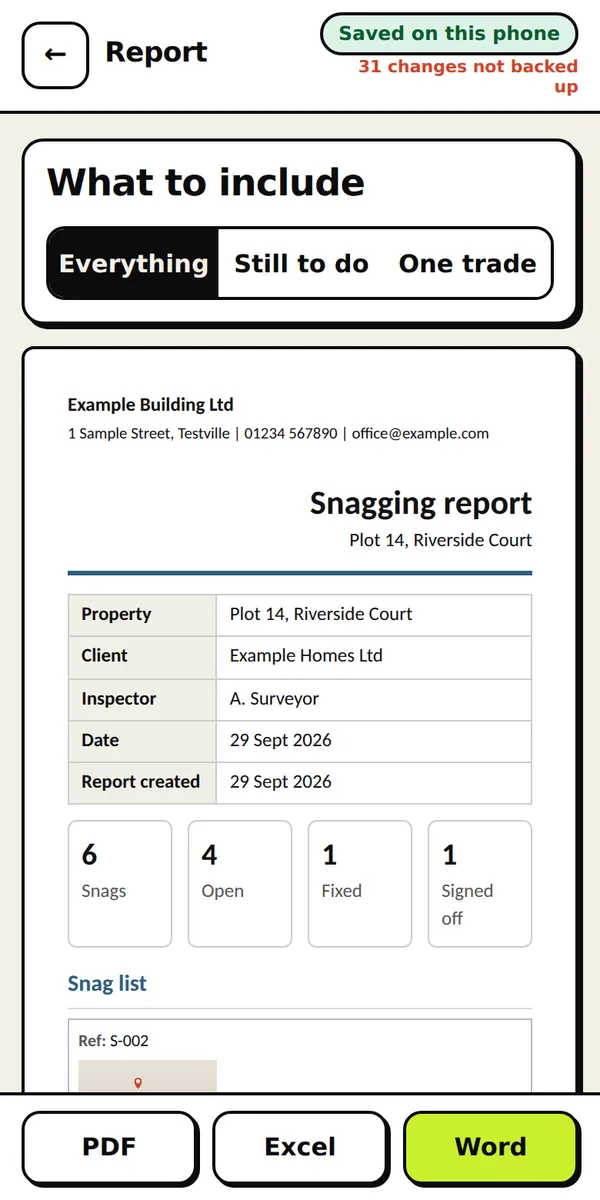
Report for the client
Your logo and details, one tidy report from the same data. Nothing typed twice.
Saved on your device. Backed up on purpose.
Saved as you tap
Every change is written to your device and checked. The screen always says Saved on this phone, or warns you if it is not.
Backed up on purpose
One tap saves a backup file you can keep in email or cloud storage. The tool tells you how many changes are not backed up yet.
Works with no signal
Open it once online. After that it opens and saves with no signal at all. Add it to your home screen so it sits with your other apps.
Your data stays yours
Work is stored in your own browser, not on our servers. That is private, and it also means you should keep a backup file: clearing browser data or losing the device removes it.
Pay once. No subscription.
Start with the free demo. Buy a licence when it earns its place.
Free demo £0 |
Solo £29 once |
Team of 5 £89 once | |
|---|---|---|---|
| Properties | 1 | Unlimited | Unlimited |
| Snags per property | 10 | Unlimited | Unlimited |
| Photo and pin on every snag | Included | Included | Included |
| Your own trades, rooms and common defects | — | Included | Included |
| Send each trade only their list | Included | Included | Included |
| Open, fixed and signed off, with date and name | Included | Included | Included |
| Your logo and company details on reports | — | Included | Included |
| PDF snag report | Watermarked | Included | Included |
| Excel snag list | — | Included | Included |
| Word snag report | — | Included | Included |
| Works offline, saves as you tap | Included | Included | Included |
| Backup file and restore | Included | Included | Included |
| People covered | 1 | 1 | 5 |
| Try it free | Buy: at launch | Buy: at launch |
One payment, no subscription. Buy both tools together: Solo £59, Team of 5 £179.
Buy both: at launchBuy both, Team: at launch
How buying works
Nothing to install, no account. Open the demo.
Secure checkout by Stripe. You get a licence key on screen and by email receipt.
Open the full Snag list, paste the key once on each device. Your demo work carries over.
Before you ask.
Is the snag list only for new builds?
No. It is a list of defects with photos, priority, trade and status, so it works for new-build snagging, refurbishment, void checks, handovers and inspections.
Do I need the Survey tool as well?
No. Snag list stands alone. If you also measure and survey, buy both together for less.
How do trades get their list?
Pick a trade, open the report and save it as a PDF, Word or Excel file, then send it however you normally do. It shows only that trade's open snags, with photos and pins. They need no app or account.
What is in the demo?
One property, up to 10 snags, and a watermarked PDF. Unlimited snags, your own trades and defect lists, Excel, Word and your branding come with the licence.
Do I need to install anything?
No. It runs in your web browser on a phone, tablet or laptop. If you like, add it to your home screen and it opens like an app, with no app store.
Does it work with no signal?
Yes. Open it once with a connection and it is saved on your device. After that it opens and saves offline. You only need signal for buying, for opening the full version the first time on a device, and for backups you choose to send.
Where is my data, and what if I lose my phone?
In your own browser on your own device. We never see it. Losing the device, or clearing browser data, loses it unless you have a backup file, so the tool shows what is not yet backed up and makes saving a backup one tap. Keep the tool on your home screen and back up regularly.
Can I put my own logo and company details on reports?
Yes, with the full version. Add your logo, colour and company details once, and they appear on the PDF, Excel and Word reports.
Do I need an account?
No account. The demo is open. After you buy you get a licence key: paste it once on each device to open the full version.
Can I move my demo work into the full version?
Yes. The demo and the full version share the same storage on your device, so what you started in the demo is there when you unlock the full version.