



Already bought?All tools

Landlord deadline checker · England · free

Landlords in England: your dates, worked out from the official rules.

Put in the dates for one property. The free checker shows what is due and when, and when the landlord register opens in your region. Each date links to the official page and says whether the rule is law now, draft or only proposed. To keep it for every property, the landlord paperwork kit is £29, paid once: no account, and the files stay on your computer. It does not send reminders. There are no customer reviews yet, so try the checker and the free example files first.

Rules last checked against the official pages on 9 October 2026.

Example answer · Flat 2, Elm Road, West Midlands

  1. 10 Dec 2026Gas safety check dueLaw now HSE
  2. 15 Dec 2026Landlord register opens (West Midlands)Draft regulations GOV.UK
  3. 1 Mar 2027Earliest date a rent increase can startLaw now GOV.UK
  4. 15 Mar 2027Electrical check (EICR) dueLaw now GOV.UK
  5. 20 Jun 2029EPC expiresLaw now GOV.UK

Example data. Each date in the checker links to the official page it comes from.

What you can check for yourself.

  • The official page beside each date. Every date in the checker links to GOV.UK, HSE or legislation.gov.uk.
  • Law now, draft or proposed. Each rule says which, so a draft date is never shown as law.
  • A free example of every file in the kit, so you see it before you pay.
  • What each product does not do. The kit sends no reminders; the calendar file puts the dates in your own calendar.
  • No cookies and no advertising scripts. Visits are counted without cookies.

Landlord register dates for every region

Snag list · paid app from £29 · free demo

Record defects and track repairs through to sign-off.

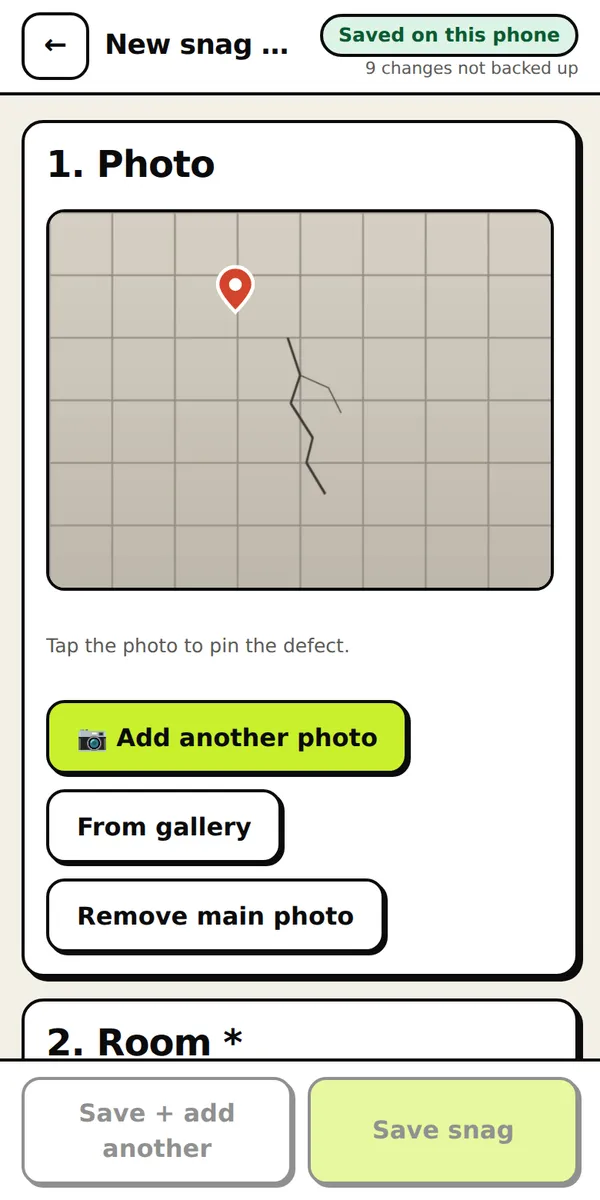
  1. 1Add a photo and mark the defect.
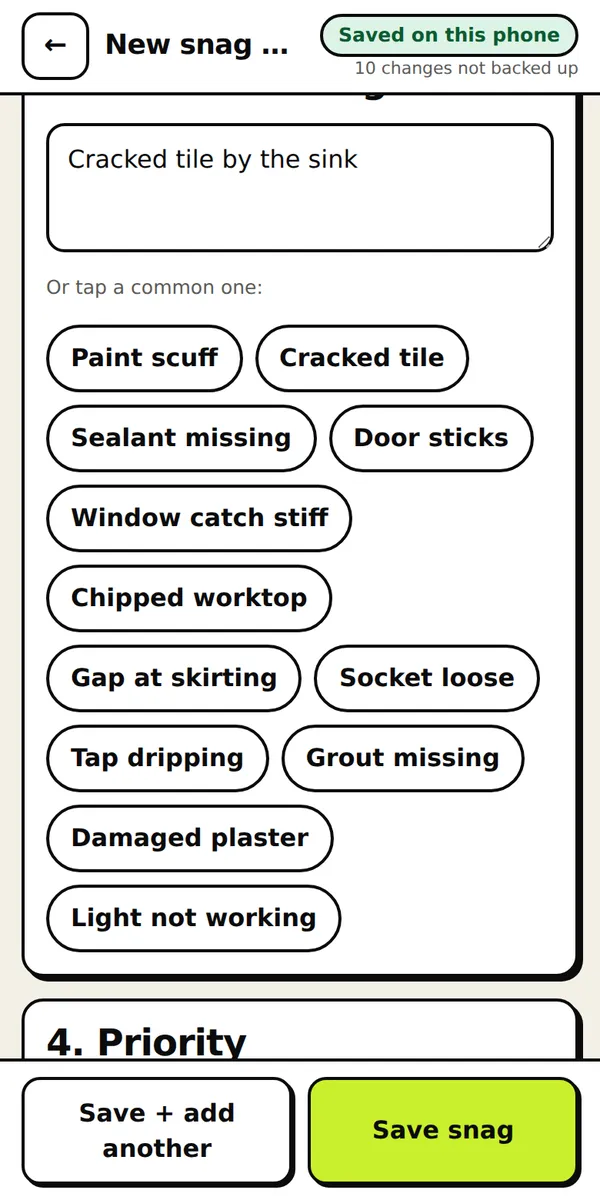
  2. 2Choose the room, description, priority and trade.
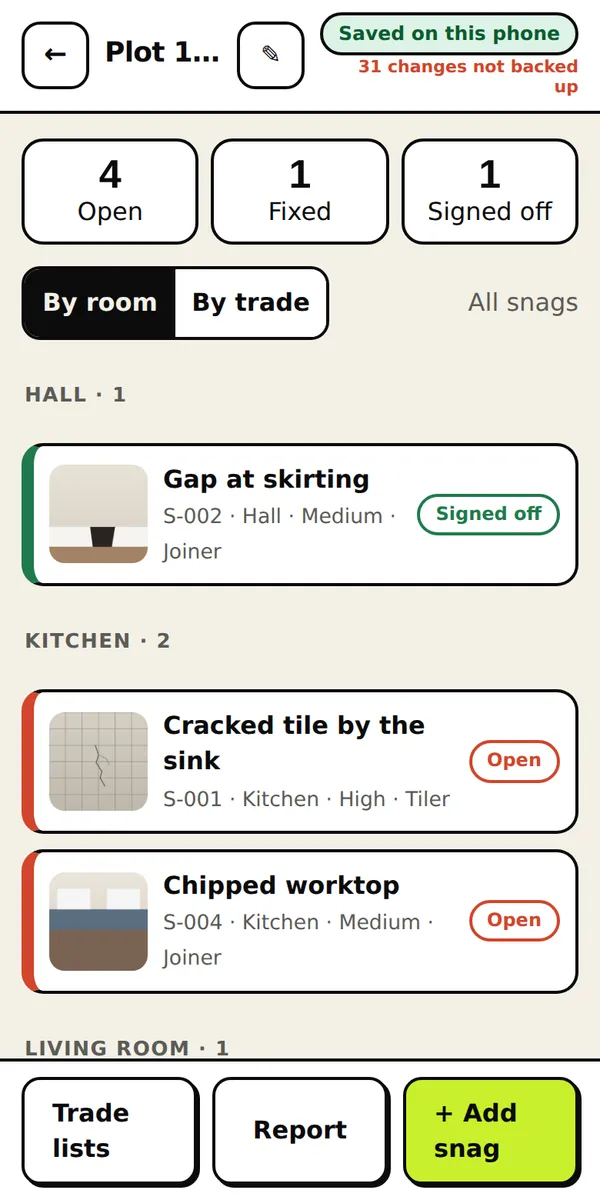
  3. 3Track whether each snag is open, fixed or signed off.
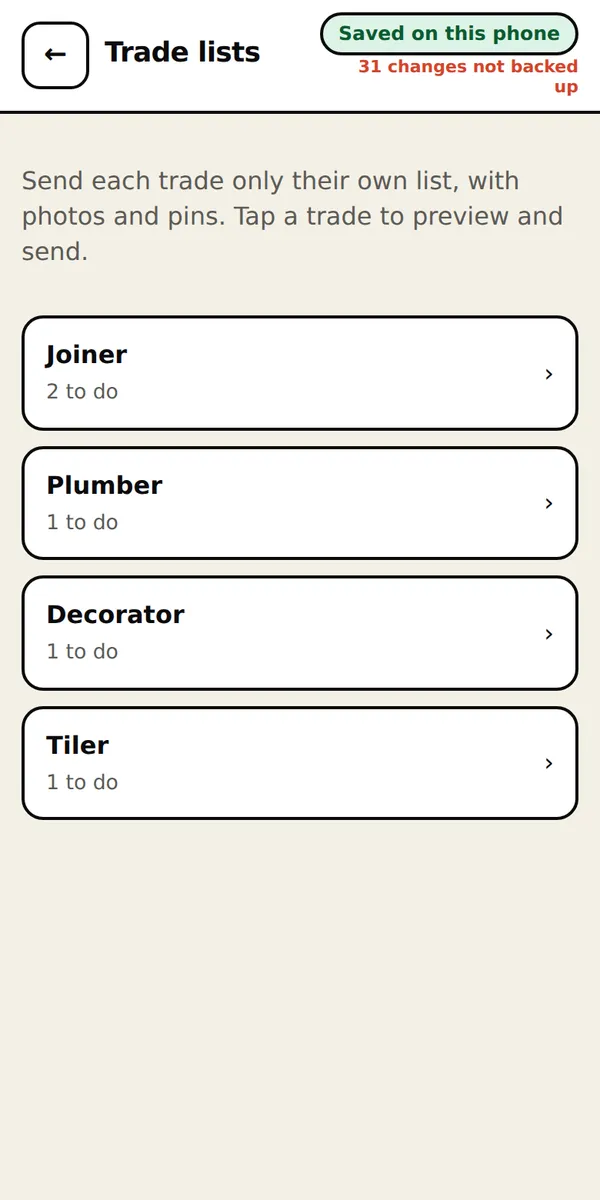
  4. 4Export a separate list for each trade.
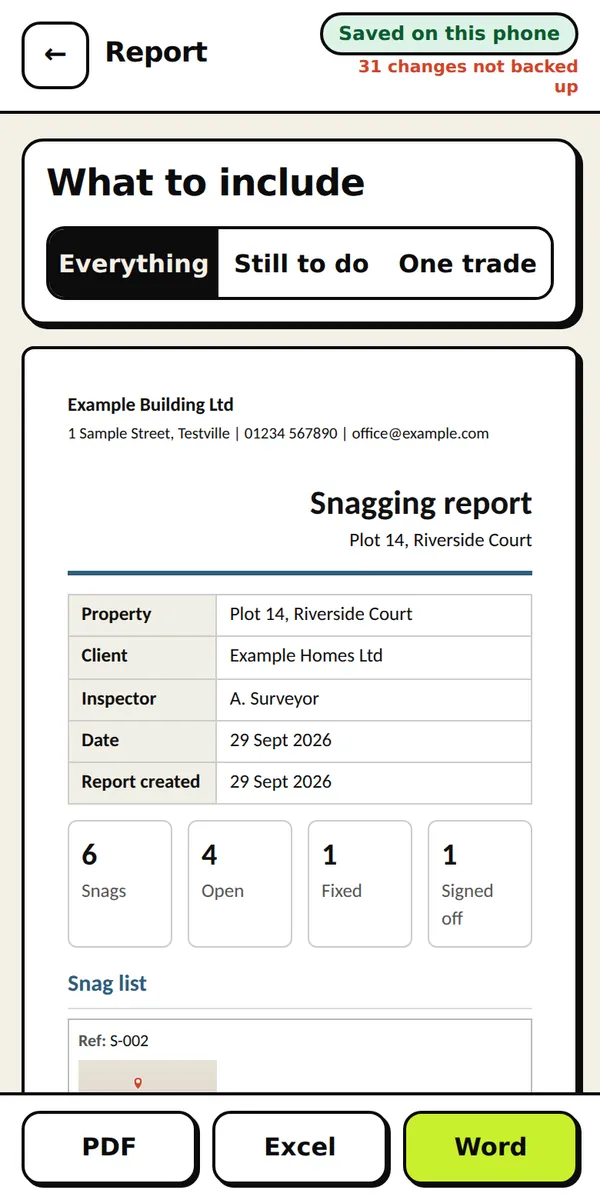
  5. 5Create a branded report for the client.

Screens from the Snag list app. Plot 14, Riverside Court, its client and its snags are example data.

Add snag screen with a photo and a red pin on the defect
1. Add a photo and mark the defect.
Snag form with common defects, priority and trade buttons
2. Choose the room, description, priority and trade.
The snag list showing open, fixed and signed off snags grouped by room
3. Track whether each snag is open, fixed or signed off.
Trade lists screen
4. Export a separate list for each trade.
Branded snagging report preview
5. Create a branded report for the client.
Add snag screen with a photo and a red pin on the defect
1Add a photo and mark the defect.
Snag form with common defects, priority and trade buttons
2Choose the room, description, priority and trade.
The snag list showing open, fixed and signed off snags grouped by room
3Track whether each snag is open, fixed or signed off.
Trade lists screen
4Export a separate list for each trade.
Branded snagging report preview
5Create a branded report for the client.

Buy related templates together for less.

Each bundle includes the products listed in it, for less than buying them separately, with a one-off payment. The Landlord, self-employed and driver bundle doesn’t include the Money planners or the construction apps.

Before you buy.

There are no customer reviews to show yet, so here is what you can check for yourself.

Try it first.

Each template has a free example file. Snag list has a free demo with limits, and the RAMS builder creates a free, watermarked sample for preview only.

One-off payment.

No subscriptions. Templates download straight after payment: each link works 3 times within 14 days, and the files are yours to keep. The apps unlock with a licence key that doesn’t expire.

Linked to official sources.

Rules and figures link to the GOV.UK, HMRC, HSE or operator page they come from, so you can check them. How facts are checked.

Your data stays on your device.

The free calculators run in your browser. Snag list saves your work on your own device, not on our servers, so keep a backup file.

Questions people ask

Is anything a subscription?

No. You pay once for each product. Downloaded files are yours to keep, and the licence keys for Snag list and RAMS don't expire.

How do I get what I buy?

Templates and bundles: download links appear straight after payment and are emailed to you. Each link works 3 times within 14 days, so save your files; the files themselves are yours to keep. Each file is stamped with your email address and order number. Lost your links? Ask for them again.

Snag list and RAMS: you get a licence key on screen and in your email receipt. Enter it once on each device you use. The key doesn't expire.

Can I try before I buy?

Yes. Each template has a free example file. Snag list has a free demo with limits (one property, ten snags and a watermarked PDF), and the RAMS builder creates a free sample: a shortened, watermarked Word document for preview only. You don't need an account.

Can I get a refund?

These are digital products, so change-of-mind refunds aren't available once your files or licence key are issued. That's why each one has a free example, demo or sample to try first. If something is faulty or not as described, your legal rights are not affected. Refund terms.

Where does my data go?

The free calculators run in your browser, and what you type isn't sent to us. Snag list saves your work in your browser on your own device, not on our servers, so save a backup file regularly.

Is this legal or tax advice?

No. RuleMind gives general information and links rules and figures to their official sources so you can check them. It isn't legal, tax, health and safety or financial advice. For anything unusual, ask a qualified professional.

What are you working on?

Or browse the full catalogue