
| Item | Per month | Share |
|---|---|---|
| Coming in | £2,400.00 | |
| Essentials | £1,700.00 | 71% |
| Left over | £250.00 | 10% |
Monthly budget planner
The offline version of the free planner. Budget your take-home pay once, then track each month against the plan.
£7 once · Excel
Landlords who manage their own lets
Sole traders and the self-employed
Households, couples and flatmates
Drivers and trades who cross zones and tolls
 SurveyRoom-by-room surveys with automatic areas and a branded report. Free demo, then from £39 once.
Money & budgeting · Excel · 5 tabs
Log every purchase in seconds, or paste rows from your bank's CSV. Anything over your limit turns red.
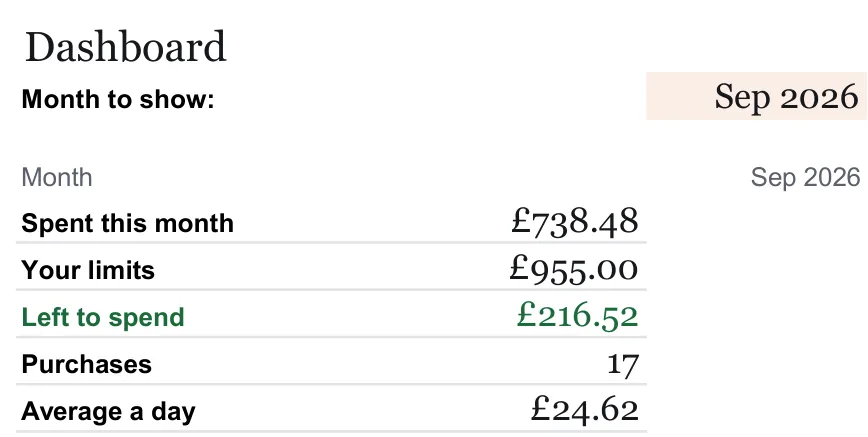
| Category | Spent | Limit | Status |
|---|---|---|---|
| Groceries | £312.40 | £320 | Nearly there |
| Eating out | £92.45 | £80 | Over limit |
| Transport | £119.40 | £150 | OK |
Example data. The free example file shows the full layout.
Rendered from the example file in Excel, at the size it opens on screen. The rows are sample data, and the file is marked as an example.
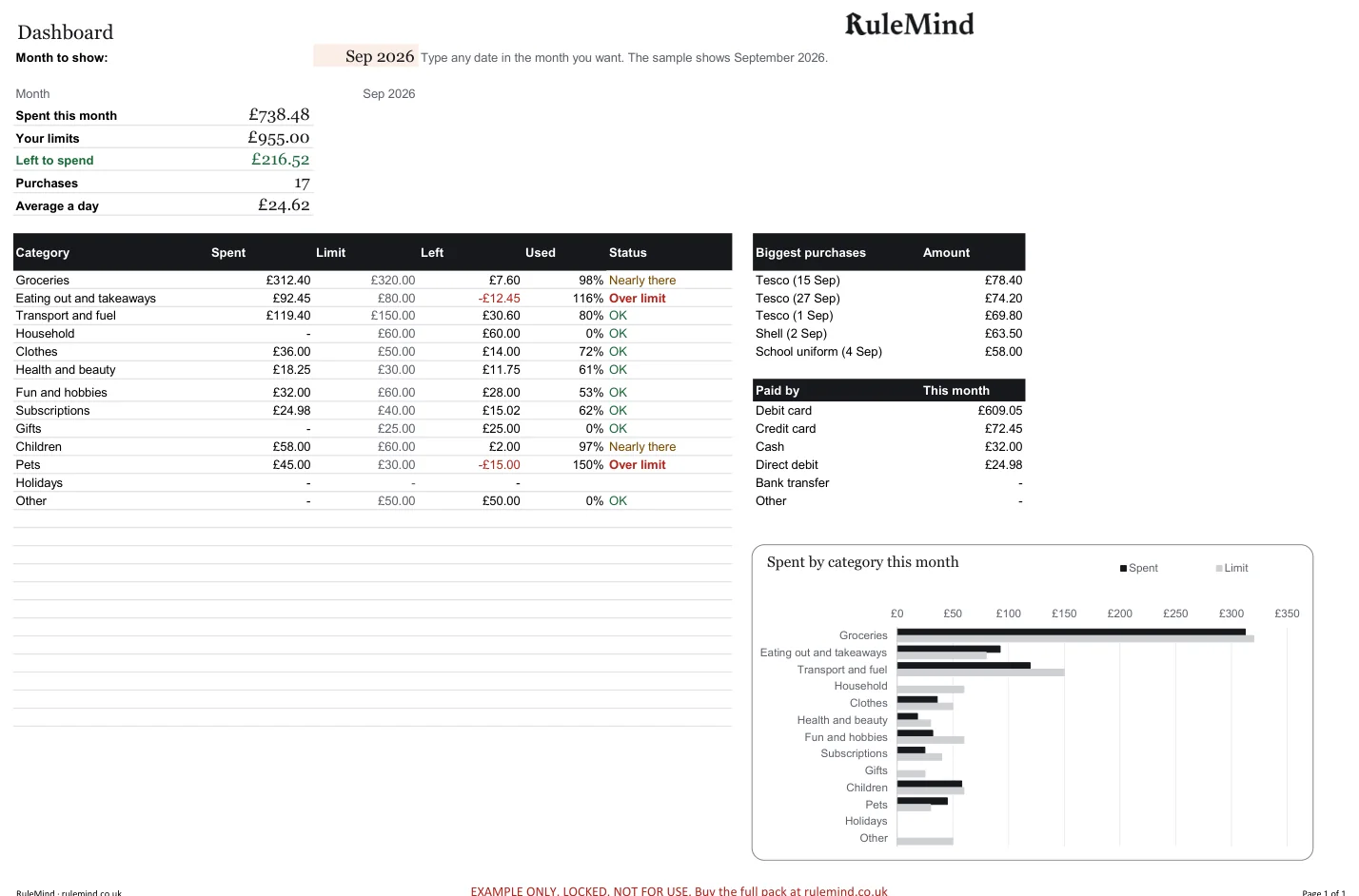
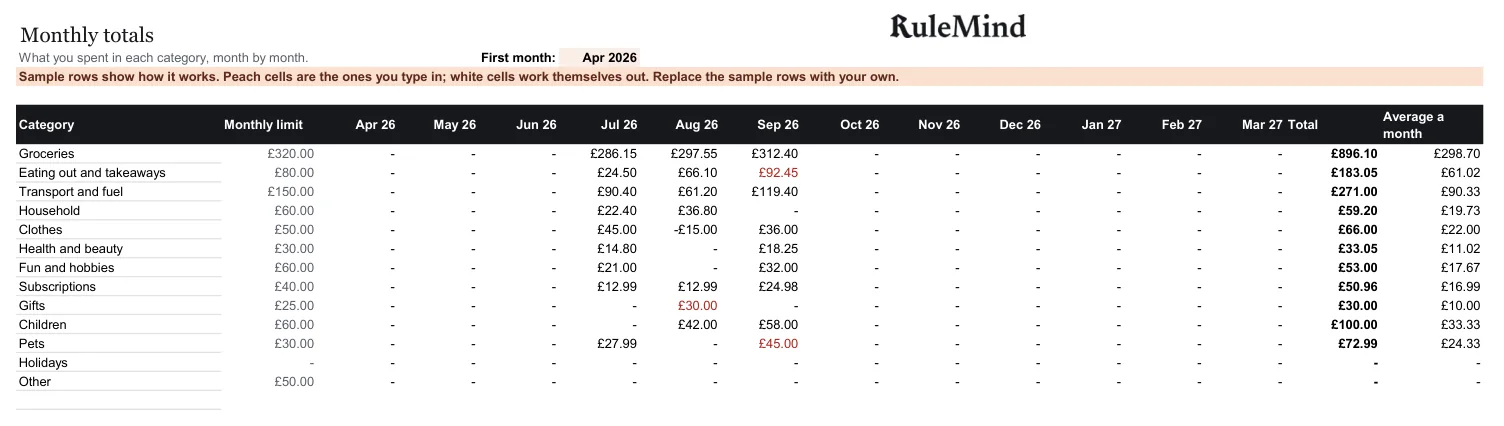
Log every purchase in seconds, or paste rows from your bank's CSV. Anything over your limit turns red.
Best for: People who want to know where their money actually goes.
Excel · 5 tabs
Doesn't read your bank automatically. Paste or type the rows.
Packs help you organise and prepare. They are not legal or tax advice and can’t guarantee you meet every rule.
Yes. Download the free example file: it shows the layout with sample data, as a locked preview. The paid file is yours to fill in.
The file downloads straight away after payment. Your links work 3 times within 14 days, and the file is stamped with your email and order number. Lost the links? Ask for them again.
Yes. Every pack works in Excel or Google Sheets, and the Word files open in Word or Google Docs. There are no macros.
No. One payment, and the file is yours to keep using.
As these are digital files, change-of-mind refunds are not available once they are issued, so please look at the free example first. If a file is faulty or not as described, your legal rights are not affected. Refund terms.
| Item | Per month | Share |
|---|---|---|
| Coming in | £2,400.00 | |
| Essentials | £1,700.00 | 71% |
| Left over | £250.00 | 10% |
The offline version of the free planner. Budget your take-home pay once, then track each month against the plan.

| Bill | A year | Deal |
|---|---|---|
| Broadband | £384 | Ends in 20 days |
| Gym | £360 | Deal ended |
| Disney+ | £108 | To cancel |
Every direct debit and subscription in one place, with a warning before a deal ends and what cancelling would save.
| Goal | Saved | A month |
|---|---|---|
| Emergency fund | £3,750 | £188 |
| Christmas | £350 | £83 |
| Holiday | £1,550 | £25 |
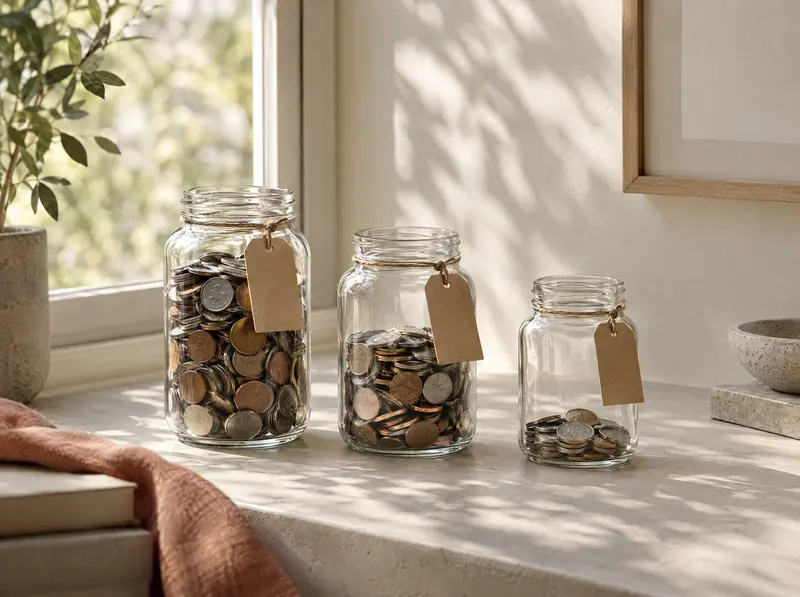
Plan up to ten goals and see how much to put by each month to hit each date.