Sam Patel DesignINVOICE
INV-0003 · Due 5 Oct 2026Social media pack£900.00
Invoice and receipts kit
Create numbered invoices, track overdue payments, organise receipt records and record money set aside for tax.
£9 one-off payment · Excel
Landlords who manage their own lets
Sole traders and the self-employed
Households, couples and flatmates
Drivers and trades who use charging zones, tolls and crossings
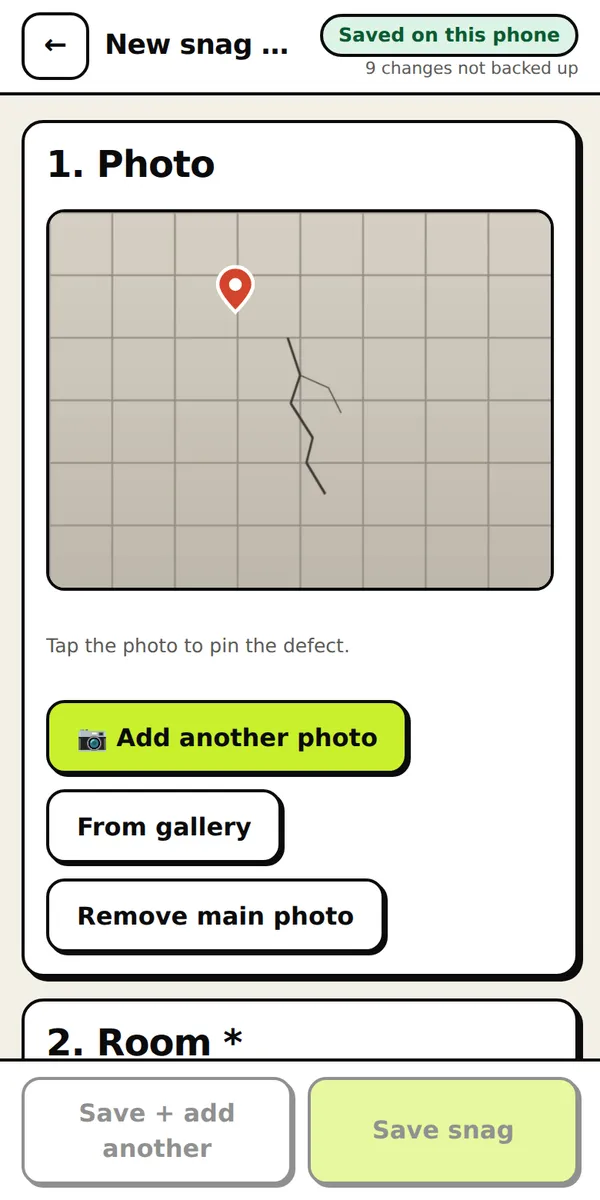 Snag listPhotograph it, pin it, send each trade only their list, sign it off. Free demo; paid app from £29, one-off payment.
Self-employed tax · Excel · 5 tabs + filled-in examples
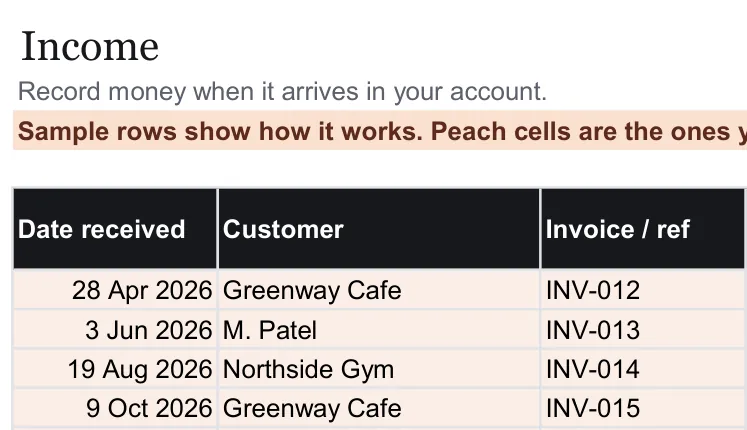
Record income, expenses and mileage, with quarterly totals and a profit summary.
Last checked : rules and figures checked against the official sources linked in the file. Updates within this edition are free: if the file changes, ask for fresh links and you get the new version.
| Quarter | Income | Costs | Profit |
|---|---|---|---|
| Q1 | £1,130.00 | £81.47 | £1,048.53 |
| Q2 | £900.00 | £88.60 | £811.40 |
| Year | £2,450.00 | £175.07 | £2,274.93 |
Example data. The free example file shows the full layout.
Rendered from the example file in Excel, at the size it opens on screen. The rows are sample data, and the file is marked as an example.
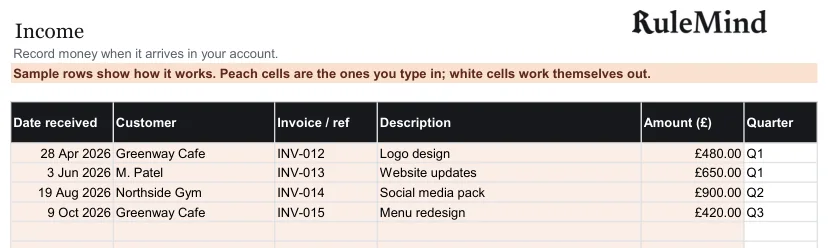
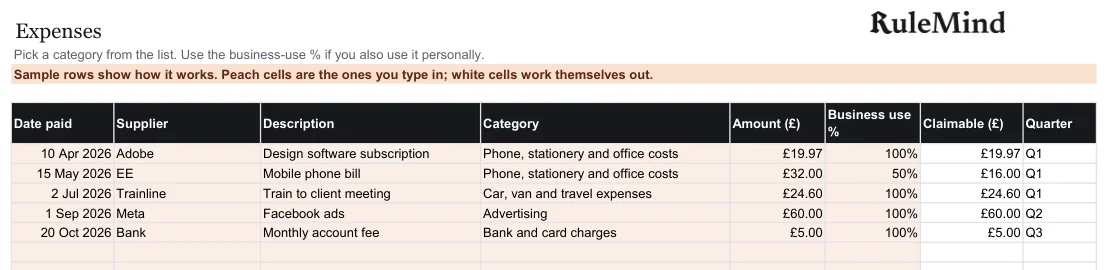
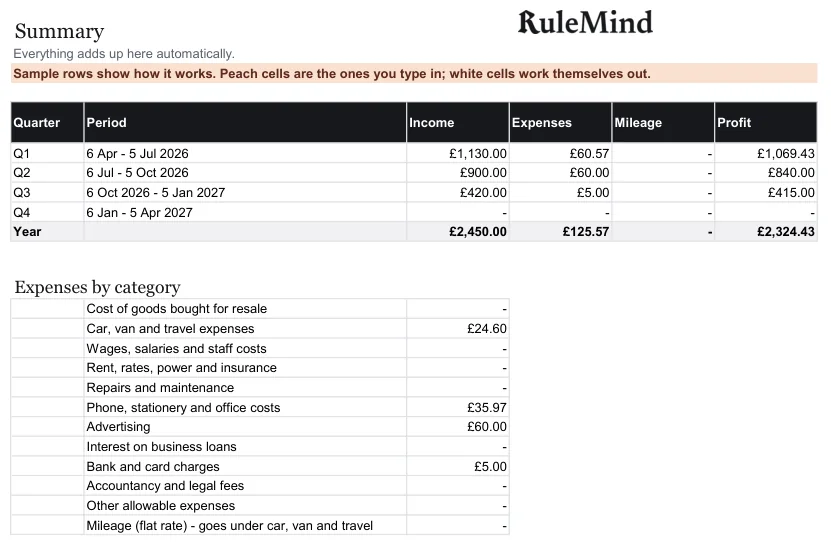
Record income, expenses and mileage, with quarterly totals and a profit summary.
Best for: Sole traders using the cash basis who don't need Making Tax Digital for Income Tax yet.
Excel · 5 tabs + filled-in examples
It doesn't file your tax return or send Making Tax Digital updates to HMRC by itself, and it doesn't decide which costs are allowable for you.
Templates help you organise and prepare. They aren’t legal or tax advice and can’t guarantee that you meet every rule.
No reviews of the Sole trader records yet. Bought it? Leave a review. How reviews work.
Yes. Download the free example file: it shows the layout with sample data, as a locked preview. The paid file is yours to fill in: its tabs or pages start empty, and a filled-in example of each comes with it.
Download links appear straight after payment and are emailed to you. Each link works 3 times within 14 days, so save the file: the file itself is yours to keep. It’s stamped with your email address and order number. Lost the links? Ask for them again.
The spreadsheets are Excel files (.xlsx) with formulas and no macros, tested in Microsoft Excel. The letters and checklists are Word documents (.docx), tested in Microsoft Word. They may also open in Google Sheets, Google Docs or LibreOffice, but we haven’t tested every feature there, so try the free example file first.
No. You pay once, and the file is yours to keep using.
As these are digital files, change-of-mind refunds aren’t available once they’re issued, so please look at the free example first. If a file is faulty or not as described, your legal rights are not affected. Refund terms.
Create numbered invoices, track overdue payments, organise receipt records and record money set aside for tax.

Gather the documents and figures for Self Assessment using a checklist, profit worksheet and key dates.
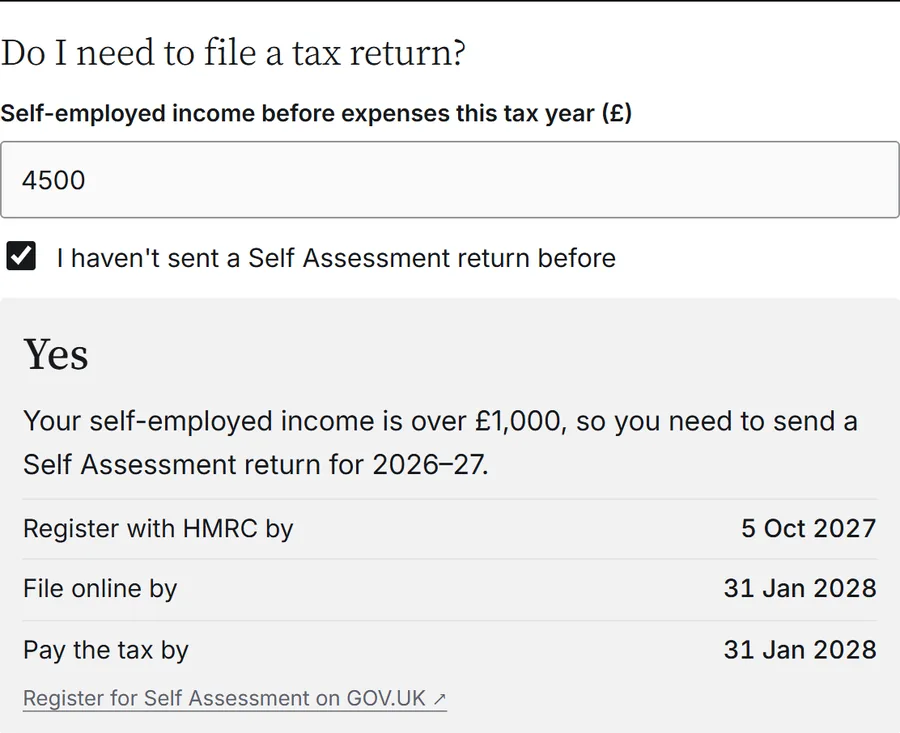
Check whether your self-employed income means you normally need to register for Self Assessment, and see the relevant deadlines.